How to choose the right SFP module
Five things decide whether a transceiver will work in your switch. Get these right and the link comes up first time.
1. Form factor, will it physically fit?
The form factor is the shape of the module and the cage it slots into. A module will only fit the cage it was built for; there is no adapter that turns an SFP+ cage into a QSFP cage.
| Form factor | Typical speed |
|---|---|
| SFP | 1G, access switches, older uplinks |
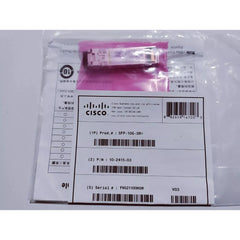
| SFP+ | 10G, the workhorse of most networks |
| SFP28 | 25G, modern server access |
| QSFP+ | 40G, switch-to-switch uplinks |
| QSFP28 | 100G, spine and data-centre core |
| XFP | 10G, older 10G platforms |
An SFP+ module will usually drop into an SFP cage and run at 1G, but a 10G-only module will not negotiate down on every platform. Check the switch datasheet if you are mixing rates.
2. Speed, match both ends
Both ends of a link must run the same rate. A 10G module will not talk to a 1G module. Where a switch port supports several rates, the slower end normally dictates the link speed, but only if both modules support that rate.
3. Connector, fibre or copper?
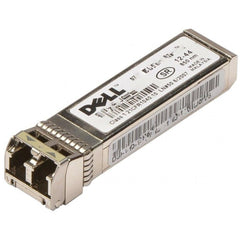
- LC, the standard duplex fibre connector, two strands, one to transmit and one to receive. This is what most optical modules use.
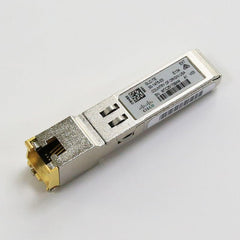
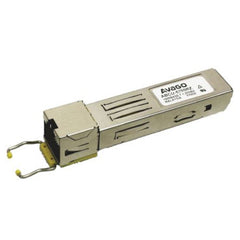
- RJ45, copper Ethernet over Cat5e or Cat6, up to 100 m. Convenient, but it draws more power and adds latency compared with fibre.
- MPO/MTP, a multi-fibre ribbon connector used by 40G SR4 and 100G SR4 modules, which run four parallel lanes.
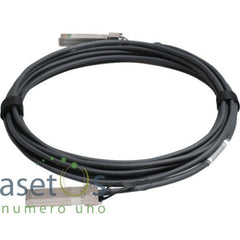
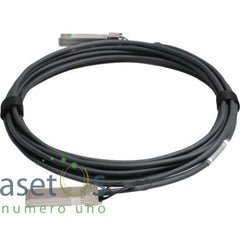
- DAC, a direct attach copper cable with the transceivers moulded on both ends. The cheapest way to link two switches inside the same rack.
4. Distance, SR, LR, ER and ZR
The reach class tells you how far the light will carry and which fibre type you need. Putting an SR module on single-mode fibre, or an LR module on multimode, is one of the most common reasons a link fails to come up.
| Class | Fibre & reach |
|---|---|
| SR (short reach) | Multimode, 850 nm, up to 300 to 550 m |
| LR (long reach) | Single-mode, 1310 nm, up to ~10 km |
| ER (extended reach) | Single-mode, 1550 nm, up to ~40 km |
| ZR (ultra long haul) | Single-mode, 1550 nm, up to ~80 km |
Multimode fibre is usually orange or aqua; single-mode is usually yellow. If the fibre is already installed, that colour decides your module, not the other way round.
5. Vendor coding, the one that catches people out
Every transceiver carries an EEPROM that identifies it to the switch. Cisco switches look for Cisco coding, Huawei for Huawei, and so on. A module that is perfect on every spec above will still sit dark if it is coded for the wrong vendor.
This is why we ask which switch you are fitting the module into. We match the part number and its factory coding to the platform you named, so it comes up as a supported optic rather than throwing an unsupported-transceiver error. Used stock is also powered up and link-tested in matching hardware before it ships.
Tell us the switch model, the distance to cover and the fibre type already installed. We will confirm the exact part number, usually within the hour.
Ask on WhatsAppShop by what you now know
1G SFP ·
10G SFP+ ·
25G SFP28 ·
40G QSFP+ ·
100G QSFP28
Short reach (SR) ·
Long reach (LR) ·
Copper RJ45 ·
DAC cables
Popular 10G modules
Popular gigabit modules